BSEB Class 10th Marksheet: Download BSEB Class 10 Original Marksheet PDF Here
Table of Contents
- BSEB Class 10th Marksheet Highlights
- BSEB Class 10th Marksheet Dates
- Where to Check BSEB Class 10th Marksheet
- How to Download BSEB Class 10th Marksheet Online
- How to Download BSEB Class 10th Marksheet via SMS
- How to Download BSEB Class 10th Marksheet via Digilocker
- Details Mentioned on BSEB Class 10th Marksheet
The BSEB class 10th marksheet is an important document for students who appear for this exam every year. It provides detailed information about the student’s academic performance and proves in what areas they are good at.
The BSEB class 10 exam 2026 will be conducted in February 2026 (tentative), and the results will be announced by the end of March or the first week of April 2026, tentatively.
| BSEB Class 10 Result 2026 | BSEB Class 10 Marking Scheme |
BSEB Class 10th Marksheet Highlights
The BSEB examination marks an important event in every student’s life who is appearing for it. The results or the marksheet received by the student helps them to choose a stream after completing their 10th standard.
| Detail | Description |
| Board name | Bihar School Examination Board |
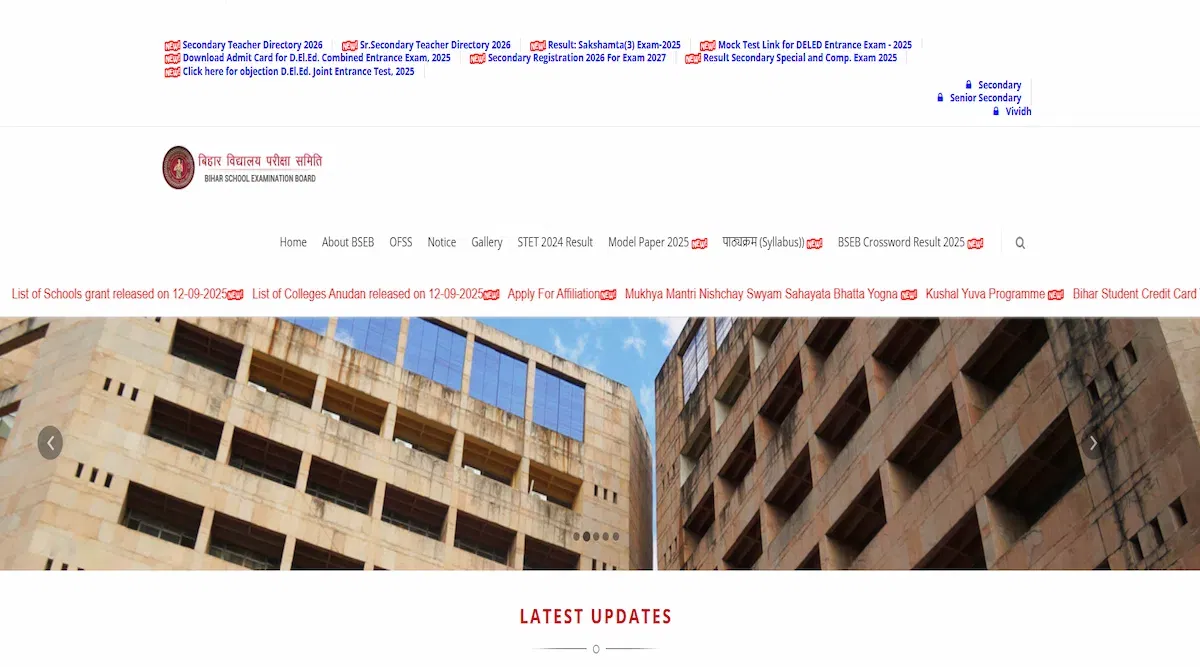
| Website | BSEB - Home (biharboardonline.com) |
| Details included | Student’s full name, parent’s name, school name, roll number, registration number, subject name, subject-wise marks, internal marks, total marks, total percentage |
| Result dates | End of March to the beginning of April |
| Downloadable in PDF Format | Yes |
| Results Availability | Online |
Read More: BSEB Class 10 Passing Marks 2026
BSEB Class 10th Marksheet Dates
Every year the BSEB examinations are held and the passing percentage is almost above 80%. It’s all because of the dates revealed by the board for students to prepare themselves for the examination. The important dates for the BSEB class 10th marksheet are given below:-
| Dates | Occasion |
| December | Exam dates announced |
| February | Exam commencement date |
| February | Exam end date |
| End of March to the first week of April | Results announced |
Read More: BSEB Class 10 Toppers
Where to Check BSEB Class 10th Marksheet
There are multiple genuine websites and methods to check your marksheet. Students can easily visit the official website of their board examinations to check out their results. Here are a list of websites from where students can check out their scorecards by simply providing their roll number:-
- Official BSEB website- Bihar School Examination Board Patna - Result (biharboardonline.com)
- India Results- IndiaResults.com- Boards Results 2024, University Results 2024
- Digilocker- Result | DigiLocker
- Bihar Board’s Mobile Application
How to Download BSEB Class 10th Marksheet Online
Downloading the BSEB class 10th marksheet online is one of the most convenient and fastest ways to know your results. In fact, it is the only way that every student finds suitable to either view or download their BSEB class 10th results. For those who do not know how to download the BSEB class 10th results online, below are the steps given:-
- Step 1- Open up your browser from either your smartphone, desktop, or laptop and search with the keywords “BSEB Class 10 Results”.
- Step 2- As soon as you click ‘Enter” you will get a series of search results from which you are required to click on the first website.
- Step 3- The first website is the official website of the BSEB results from where you can download your results. In this step, you will need to search for the “Click Here for 10th Result” option in the same page.
- Step 4- After you click on the option mentioned above, it will lead you to a new page where you need to provide your roll number and click on “Enter”.
- Step 5- Within a few seconds, you will get your marksheet and you can either note down your marks or you can easily download it by simply clicking on the “Print” option on your device.
How to Download BSEB Class 10th Marksheet via SMS
The class 10th BSEB results can be accessed via SMS as well. The procedure to do that is quite simple. Students will just have to send in their roll number or registration number to a specific number as text and their scorecard will be sent to their registered phone number. Simply follow the steps that are mentioned below to ensure a smooth process of downloading your result via sms.
- Step 1- First, note down or copy your student information. This could be your roll number, registration number, or hall ticket number.
- Step 2- Open your sms app on your device and start a new chat/text.
- Step 3- Type in a message in the following format: Bihar10 Roll Number
- Step 4- Mention your actual roll number that was assigned to you for the examination.
- Step 5- Send the message to 56263 number. Wait for a few seconds and candidates shall receive their scorecard in their mobile number.
How to Download BSEB Class 10th Marksheet via Digilocker
Candidates of class 10 can easily download their academic performance scorecard via Digilocker. It is one of the most secure digital platforms and one of the best ways to save crucial documents like marksheets. Students need to have their Aadhar card with them to sign up/log on to the Digilocker platform. The step-by-step guide mentioned below should help students use the platform.
- Step 1- Go to the Digilocker website or mobile application and complete your registration or login process.
- Step 2- Click on the section/tab mentioned as ‘Issued Documents’.
- Step 3- Now, students should click and select their board name. In this case, it will be the Bihar School Examination Board.
- Step 4- Now you will have to click on the BSEB Class 10th Marksheet.
- Step 5- A new page shall pop up which will ask for your student information. Enter the asked details like your roll number or application number and click on ‘Get Document’.
- Step 6- Wait for a while before your result is displayed on your screen. You can simply download and save it on your device.
Details Mentioned on BSEB Class 10th Marksheet
Here are the details mentioned in the BSEB class 10th marksheet:-
- Student’s full name
- Parent’s name
- Roll number
- Registration number
- Subject names
- Subject-wise marks
- Internal marks received
- Theory marks received
- Institution name
- Institution code
- Total marks
Read More: BSEB Class 10 Supplementary Exam 2026