
Table of Contents
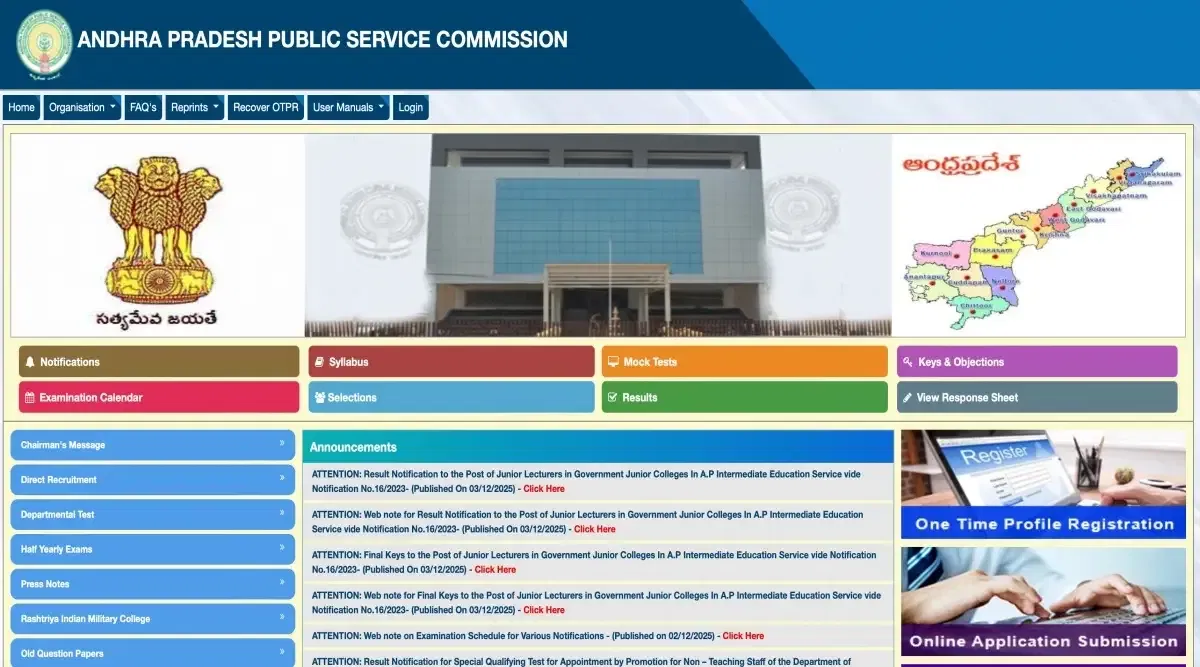
APPSC Login 2025 is a medium for applicants to log in to the official website of APPSC, i.e.psc.ap.gov.in, and gain information regarding their candidature for the APPSC exam. To create an APPSC gov. in Login, students must finish registration on the website portal. APPSC OPTR Login is required at every step of the student's candidature process. Students will require their APPSC 2025 Login, like User ID and password details to access the application form, admit card, answer key, etc on the webpage.
In case the candidates have forgotten either their login ID or password, they must check their registered mail ID or phone number. The commission shares the APPSC login ID with the applicants on the same.
APPSC Login Steps To Apply for Application
OTPR Login APPSC 2025 Application and checking the application status is essential for a successful application. Candidates should follow the given steps to apply for the exam after APPSC login Registration.
- Step 1: Go to the official website of the APPSC exam @psc.ap.gov.in.
- Step 2: Click the 'APPSC Application Form 2025" online link on the APPSC login page.
- Step 3: Enter Login credentials like User ID & password.
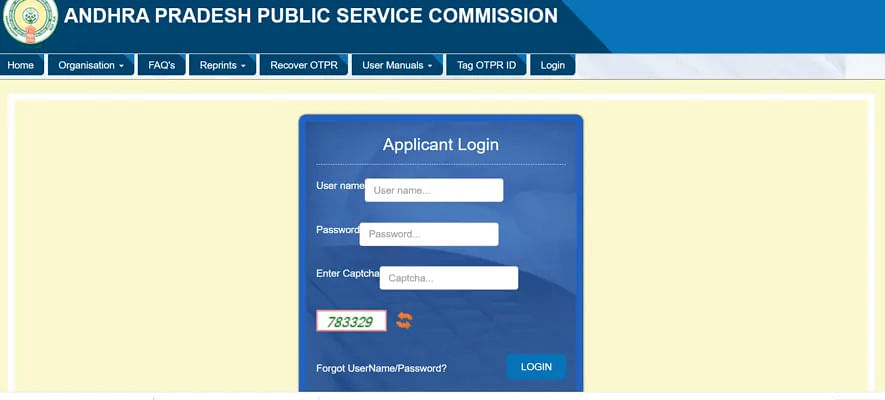
- Step 4: Log in, fill out the application, upload the required documents and complete fee payment using a credit/debit card.
- Step 5: Click on the submit button and download the copy for future reference from the APPSC website Login page.
What is APPSC Login 2025?
The APPSC Login 2025 is a medium between APPSC applicants and the official webpage of the APPSC exam. APPSC Login is the official candidate portal for the website. By accessing the portal, students can check their Application status, contact authorities, check, download Admit Cards/ Results and more.
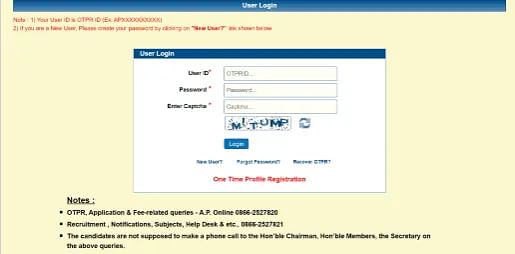
Examinees must first sign in, preferably on the APPSC Login 2025 portal and use their Login credentials like user ID and password to access the portal.
Why Create APPSC 2025 Login?
APPSC Login information is essential for prospects to check their candidature. Due to the following reasons, candidates must sign in for APPSC Login 2025.
- Register for the APPSC exam 2025 and submit the manuscripts.
- To make corrections in the Application Form during APPSC Form correction.
- To review and download the APPSC 2025 Admit Card, Answer Key, Result etc.
- To raise dispensaries against the APPSC 2025 Answer Key.
- To apply for the Counselling of APPSC Exam 2025.
APPSC Login Uses
There are various uses for the Login page of APPSC on the official webpage. APPSC Login page can be utilized for the following tasks:
- APPSC Portal can be used to apply for the APPSC OPTR Registration Login of new applicants for the exam.
- APPSC 2025 Login is needed to apply for the APPSC Exam. Besides, fill in the form and check its status on the official webpage.
- APPSC Login is utilized to check the APPSC Admit Card and download the APPSC Admit Card.
- The Login page of APPSC is used in downloading and checking APPSC Answer Key 2025.
- APPSC Login is used to review the APPSC Response sheet on the official webpage.
- The login portal of APPSC 2025 is needed to check and download Results from the APPSC Result Login page.
- APPSC Login OTPR is used to register for APPSC Counselling and check the qualification status.
APPSC Login Steps To Register
Aspirants must apply online on the APPSC official website login portal for the APPSC exam. APPSC has one one-time registration login page that allows students not to re-login in every step of their candidature. Aspirants can go through the below steps to get their APPSC Registration Login credentials.
- Step 1: Visit the official website of the APPSC, i.e.,psc.ap.gov.in
- Step 2: Click on "New User" below the sign-in bars for APPSC new user login registration.
- Step 3: Create the User ID and enter mobile number into the tab.
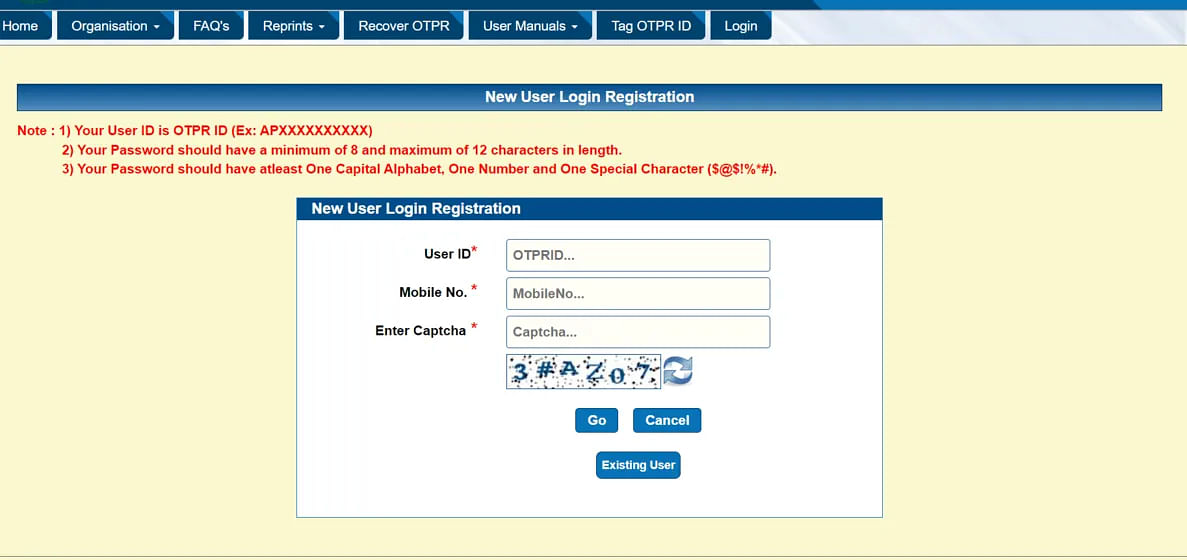
- Step 4: Enter the displayed captcha code and continue clicking on the "Go" option.
- Step 5: Students must verify their mobile numbers, and their credentials will be generated.
APPSC Login Steps To Apply for Application
OTPR Login APPSC 2025 Application and checking the application status is essential for a successful application. Candidates should follow the given steps to apply for the exam after APPSC login Registration.
- Step 1: Go to the official website of the APPSC exam @psc.ap.gov.in.
- Step 2: Click the 'APPSC Application Form 2025" online link on the APPSC login page.
- Step 3: Enter Login credentials like User ID & password.
- Step 4: Login, fill out the application, upload the required documents and complete fee payment using a credit/debit card.
- Step 5: Click on the submit button and download the copy for future reference from the APPSC website Login page.
How to Recover APPSC Login Credentials?
APPSC Login credentials must be retrieved as soon as possible if students have an APPSC Login Problem, lost or forgotten. Applicants must follow the given steps listed below to get their APPSC Login 2025 credentials retrieved:
- Step 1: Access the APPSC 2025 Login page.
- Step 2: Click "Forgot Password" and enter the credentials requested.
- Step 3: Enter your DOB and User ID on the tab.
- Step 4: Click "Get OTP", and students will get their OTP on their registered phone number.
- Step 5: Students can reset their APPSC login credentials by typing the OTP number in the box. Students must remember the credentials after retrieving their login details.
FAQs on APPSC Login
Q: How to create APPSC login 2025?
Candidates must visit the APPSC exam official website @psc.ap.gov.in. and click on new user tab. Then they must enter their mobile number and captcha code and click on the "GO" tab. After students verify their entered details their login credentials will be generated and activated.
Q: What are the APPSC login credentials?
AAPSC 2025 login credentials consists of applicants user ID and password. Candidates can use their login credentials to access their APPSC login portal to check their application process update, admit card status, raising objections, downloading results etc.
Q: What are the uses of APPSC 2025 login?
On the APPSC Portal, new applicants can sign up for the OPTR Registration Login, view the APPSC Answer Key, review the APPSC Response sheet, etc. Applicants can also register for APPSC Counseling and check their qualification status on the APPSC login portal 2025.